






Build a theoretical drive group
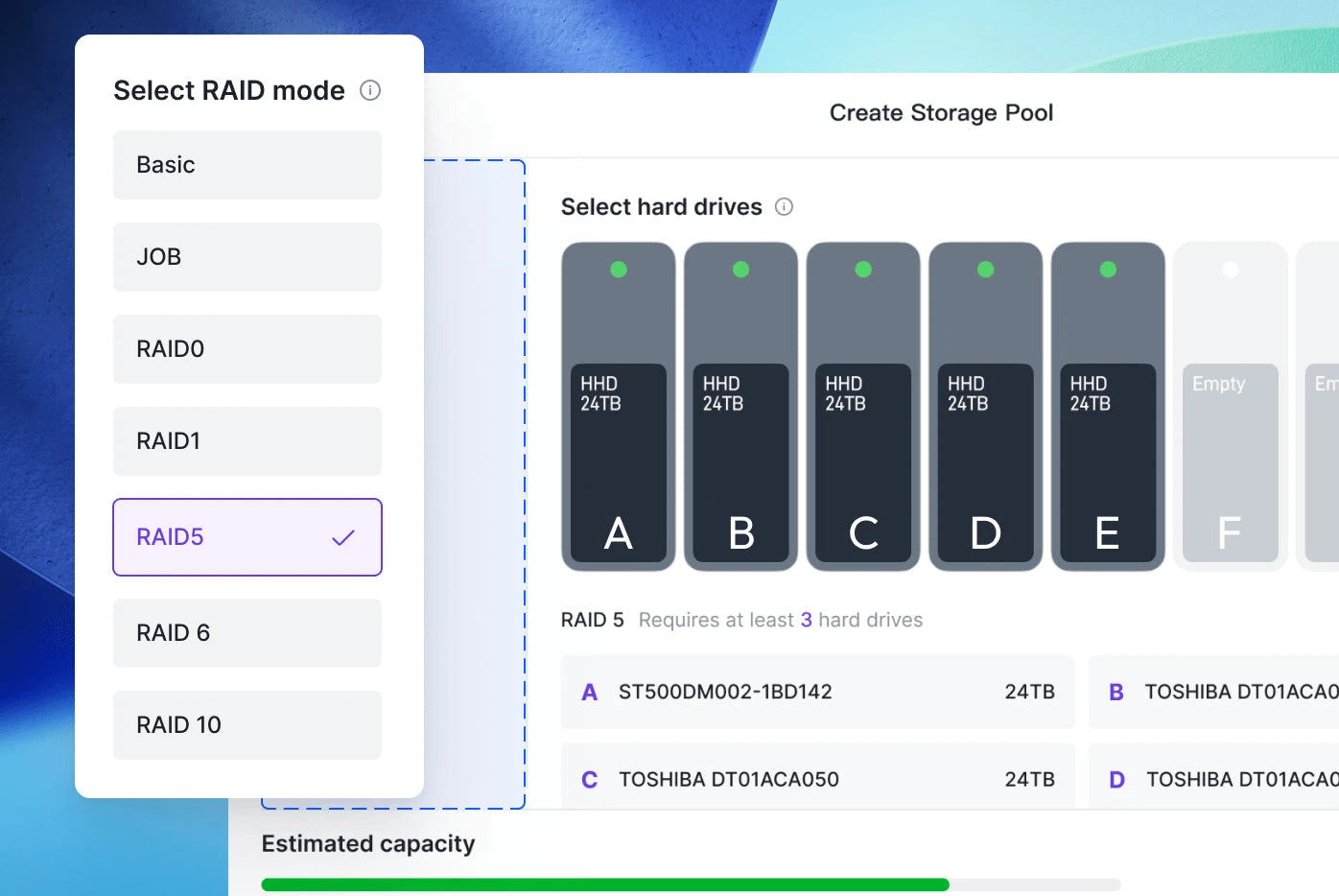
Enter the total number of installed drives, the capacity of each drive, and any drives reserved as spares. The calculation uses the remaining active drives. It assumes all drives contribute the same usable size and form one conventional array; it does not model mixed-size storage pools, proprietary flexible RAID or multiple groups.
With four active 8 TB drives, RAID 5 provides 24 TB of theoretical capacity, approximately 21.83 TiB, before formatting and other overhead. Change the inputs to compare a layout.
A spare is excluded from capacity. Whether a NAS can assign, share or automatically activate a hot spare depends on its software and chosen array. A spare does not add parity and does not increase the number of simultaneous failures that the RAID level guarantees.
Understand the formulas
Let N be the active drive count after subtracting spares, and S the equal capacity of one drive. TB uses 1,000,000,000,000 bytes; TiB uses 1,099,511,627,776 bytes. Converting units changes the number displayed, not the amount of data stored.
| Layout | Minimum active drives | Theoretical capacity | Drive-failure boundary |
|---|---|---|---|
| RAID 0 | 2 | N × S | No redundancy; one failed member can lose the array. |
| RAID 1 | 2 | S | An N-way mirror may survive N − 1 failures if a complete readable copy remains. Product implementations can restrict mirror width. |
| RAID 5 | 3 | (N − 1) × S | One member failure. |
| RAID 6 | 4 | (N − 2) × S | Two member failures. |
| RAID 10 | 4, even count | (N ÷ 2) × S | Survives any one member-drive failure; additional failures depend on which mirror pairs fail. |
| JBOD, concatenated | 1 | N × S | No redundancy. Loss behavior depends on the implementation and filesystem. |
Here, JBOD means a concatenated volume. Some systems use the same label for independent disks; those are a different arrangement. RAID 10 here means two-drive mirror pairs striped together, not every layout that a vendor may call RAID 10.
Turn the estimate into a storage plan
- Count what must be kept. Include existing files, expected growth, working copies and the period you intend to retain older versions.
- Compare the same drive group. Four 8 TB drives yield 32 TB with RAID 0, 24 TB with RAID 5, or 16 TB with RAID 6 or this RAID 10 model. An N-way RAID 1 mirror yields 8 TB.
- Leave space for the system. Filesystem metadata, reserved space, application databases and supported snapshots reduce room available to your files. This tool does not subtract a universal percentage because actual overhead differs.
- Budget independent copies. RAID capacity does not include a separate backup destination. Add external, remote or other independent storage according to your recovery plan.
- Check the device. Confirm supported modes, maximum capacity, compatible drives and migration rules for the exact model and software release.
Frequently asked questions
Can I enter different drive sizes?
This model uses equal-sized active drives. Conventional arrays often limit each member to the smallest member's contribution, but actual mixed-drive layouts vary. Do not add unequal label capacities and treat the sum as available RAID space.
Does RAID 6 always make a better backup?
RAID is not a backup. Dual parity can maintain availability through more drive failures, but it does not independently protect against deletion, ransomware, theft, controller damage or a damaged filesystem. Keep a recoverable copy elsewhere.
Can the result predict speed or rebuild time?
No. Disk health, workload, processor, controller, filesystem, capacity and network all matter. There is no fixed rebuild duration or guaranteed editing speed in this capacity calculation.
Does every listed mode work on Zettlab?
No such claim is made. These are general planning formulas. Verify the exact product documentation and hardware compatibility records before ordering or changing an array.
Capacity & RAID
How to Choose the Best RAID for Your NAS
Read the guide
Capacity & RAID