

Files
Keep personal files and shared team spaces organized.
- Upload, download and organize folders.
- Set the right access before sharing files.
Available actions depend on your account and folder permissions.




Apps
Find ZettOS apps for files, AI, photos, media, backup and creative work, plus the tools to manage your NAS. Check availability and instructions for your NAS model and installed ZettOS version.
ZettOS apps
Organize files and photos, find content with ZettAI, manage media, back up your work and prepare creative projects. Start with the app for your task.
App availability and features depend on the NAS model and software release.
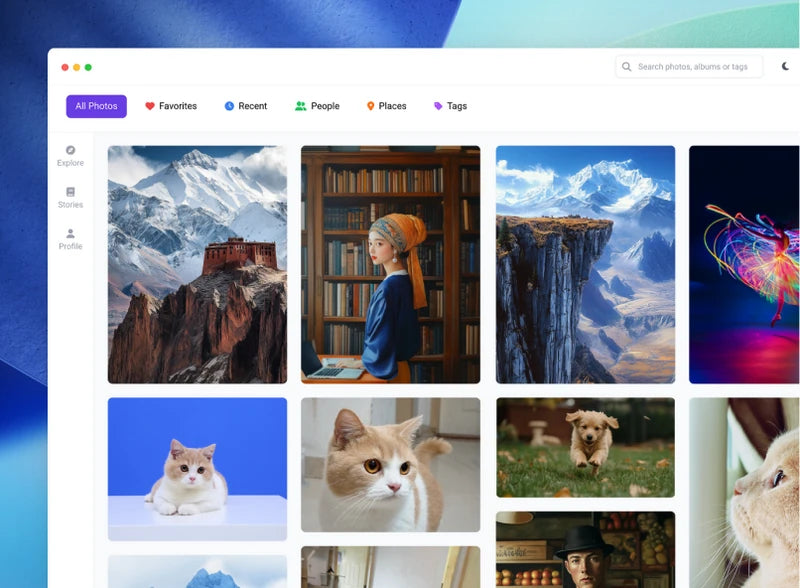
Keep personal files and shared team spaces organized.
Available actions depend on your account and folder permissions.

Find and work with content using supported AI search and learning tasks.
AI functions and processing requirements vary by model, software and task.
Browse a photo timeline and collect your memories into albums.
AI grouping and search have separate ZettAI, learning and format requirements.
Browse your video collection through a poster wall and available metadata filters.
Named Film on some product pages. Matching and playback depend on the app version, source files, codecs and client.
Configure supported synchronization or backup tasks for your files.
Synchronization can propagate changes and deletions. Keep an independent recovery copy.

Prepare video edits with supported AI-assisted tools.
Check available tools and media requirements in your installed version.
Copy camera media to your NAS after a shoot.
Available copy methods depend on connected devices and software.

Prepare your next production in one workspace.
Available production tools depend on the app release.
Use the integrated runtime and system tools to manage applications, resources, permissions and everyday operations.

Manage supported container projects through the ZettOS integration.
Container images must match your NAS architecture and available resources.
Create and manage virtual machines supported by your NAS.
Guest systems and virtualization features depend on CPU architecture, model and software.
Configure your NAS and the people who can access it.
Some changes require an administrator account.

Find and manage applications for your ZettOS installation.
The catalog includes ZettOS and third-party software; availability varies by device and release.
See how your NAS resources are being used.
Displayed measurements depend on your device and software.
Follow the progress of everyday file operations.
Available task types depend on the operation and software release.

Find guidance for setup, applications and troubleshooting.
Use instructions for your NAS model and installed software.
Looking for third-party software? Open the third-party app directory.
YOUR NEXT STEP

Get to know the system behind your files, photos and everyday routines.

Find your fit with the D4 or D6. More room for the things you want to keep.