





What you can do
Manage container projects from your NAS.
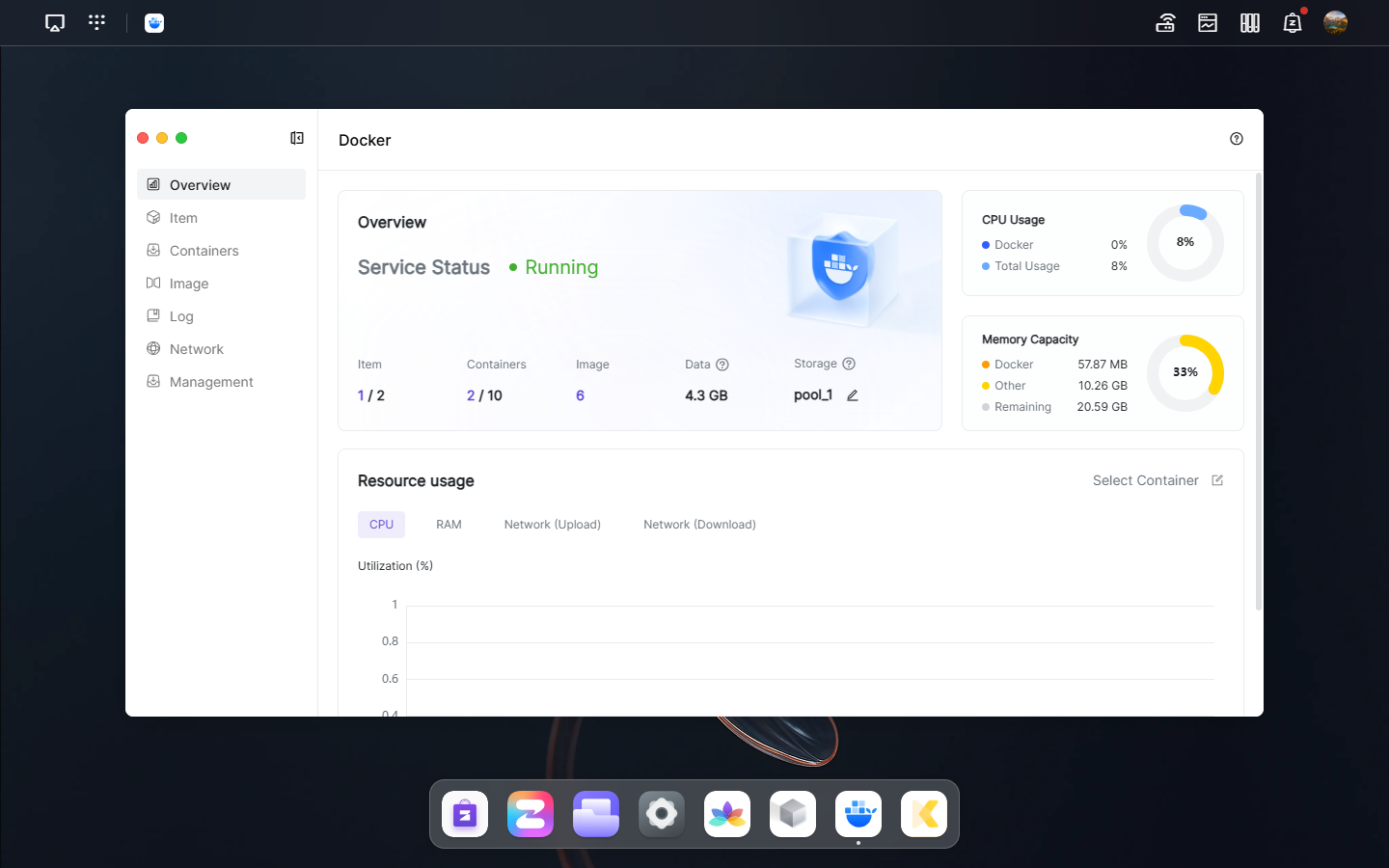
- Check Docker service status, container and project counts, and resource trends from the overview.
- Pull images and create individual containers with resource limits, environment variables, storage paths, network and port settings.
- Deploy a Compose project from a configuration file and inspect its containers, logs, resource monitoring and Compose configuration together.
- View Docker networks and operation logs. Keep manually created workloads distinct from applications installed and managed by App Center.
Before you start
- Sign in with an administrator account and confirm that the Docker app is available on your NAS.
- Choose an image that supports your NAS processor architecture and has clear publisher instructions. Check its memory, storage and network requirements.
- Plan persistent paths for configuration, databases and other important application data before deployment.
Your first workflow
-
Read the service requirements
Check the image publisher’s documentation and identify the required architecture, ports, variables and storage mappings. Decide how the data will be backed up before running a service you will depend on.
-
Deploy one understandable workload
Pull a suitable image and create a container, or create a Compose project with a name, save path and reviewed YAML configuration. Map important data to explicit NAS paths rather than leaving it only in the container filesystem.
-
Verify access and permissions
Open the service using its configured address and check that it can read and write only the intended paths. Review port exposure and credentials; a running container does not prove the application is correctly configured.
-
Watch its behavior over time
Inspect resource usage and runtime logs, then confirm that the service still works after a controlled restart. Record the configuration and preserve a separate copy of important data before updating or rebuilding it.
Check your first result
The service starts without recurring errors, the intended client can reach it and application data appears in the planned NAS paths. Configuration and recovery steps are clear enough to repeat.
Keep these details in mind
- Docker is an integrated open-source runtime, not a claim that every container image is written or supported by Zettlab. Compatibility depends on the chosen image and hardware resources.
- Manage App Center-created containers and projects through App Center. Direct deletion or changes in Docker can break their applications.
- Rebuilding a container resets its own filesystem. Storage mappings and a backup plan are necessary for important data.
Common questions
What is the difference between a project and a container?
A container is a single workload. A Compose project groups one or more containers and their configuration so they can be managed together.
Why can’t I find Docker?
The official guide restricts its entry to administrator accounts. Sign in with the appropriate role and check the app launcher or dock.
Can I update an App Center app from Docker?
Use App Center for those apps. Docker’s update-detection flow applies to manually created workloads and does not replace App Center management.
More detail from Zettlab
ZettOS apps
Virtual Machines in ZettOS
Create and manage virtual machines supported by your NAS.
Read the guide
