




Choose an answer you can verify
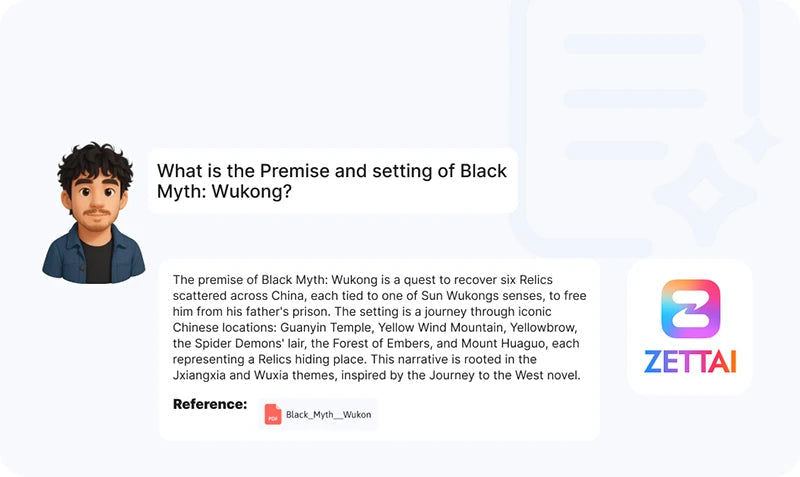
Start with a small document task: find the delivery date in a project brief, or compare two paragraphs against a question. Keep a known answer and the original document so you can judge whether the workflow helps.
This is an optional third-party model workflow. For built-in ZettAI search and supported-file learning, use ZettOS capabilities and the official setup summary. Standard D4/D6 document Q&A uses PC computing power in the reviewed model information.
Put model computation on a suitable host
Use the Ollama guide to select a supported compute host and an appropriate model. Check the chosen model’s memory and hardware requirements, license and intended language. The reference plan uses a separate supported computer; NAS storage does not itself establish inference support.
Run one known prompt directly against the selected model host. Record the model and version, response and resource use. Resolve loading or memory failures here before adding document retrieval or a browser interface.
Connect the browser interface deliberately
Open WebUI provides an optional interface to the selected model host. Follow its supported deployment route, persistent-data requirements and connection settings. A local interface can still be configured to use external providers.
Sign in with the intended user, select the actual model endpoint and repeat the known prompt. Check the interface configuration when results differ. Keep the interface’s data and the model host’s storage boundaries in your record.
Ask about a small document and check the source
- Prepare a sample. Use a readable, non-sensitive document whose content you know. Keep an original outside the application.
- Choose the document route. Follow the interface’s current retrieval documentation. Record the parser, embedding model and storage location.
- Ask one precise question. For example, “What delivery date does this brief request?” Compare the answer and any cited passage with the original.
- Test missing information. Ask a question the document does not answer. Treat an unsupported confident answer as a failed check.
- Check the intended account. Confirm which user can access the uploaded material and conversation. Do not infer isolation merely because the source file is in a NAS folder.
A useful first result is a verifiable answer tied to the selected source. Retrieval, document parsing and model generation can fail independently; adding a larger model does not correct every missing or misread source.
Record where the data goes
Write down the source-file location, interface host, parser, embedding endpoint, model endpoint and any configured provider. Include user uploads, extracted text, indexes, chat history and logs in that review.
A NAS folder and a browser interface on your network do not establish that every processing step stays there. Inspect enabled integrations and remote endpoints for the actual configuration. Use a non-sensitive sample until the processing locations and access rules are understood.
Keep the workflow reproducible
Record compatible versions, model identity, settings and data paths. Preserve original documents and the application-state backup required by the selected deployment. Keep secrets separately from shareable project notes.
Restore a small interface dataset into an isolated instance, reconnect the intended model host and repeat the known question. Check access and the source reference again. Use the backup and restore workflow to decide which data must survive and which indexes can be rebuilt.
Choose storage for the parts that need to persist
Measure original documents, application state, backup retention and any model files deliberately stored on the NAS. Compare D4 and D6 for storage needs, and budget the compute host separately. RAM options on a NAS are not a guarantee that a selected model will run there.

Third-party apps
Ollama with NAS: Setup, Use and Recovery
Read the guide
Third-party apps