





What you can do
Find the content you remember, even when the filename escapes you.
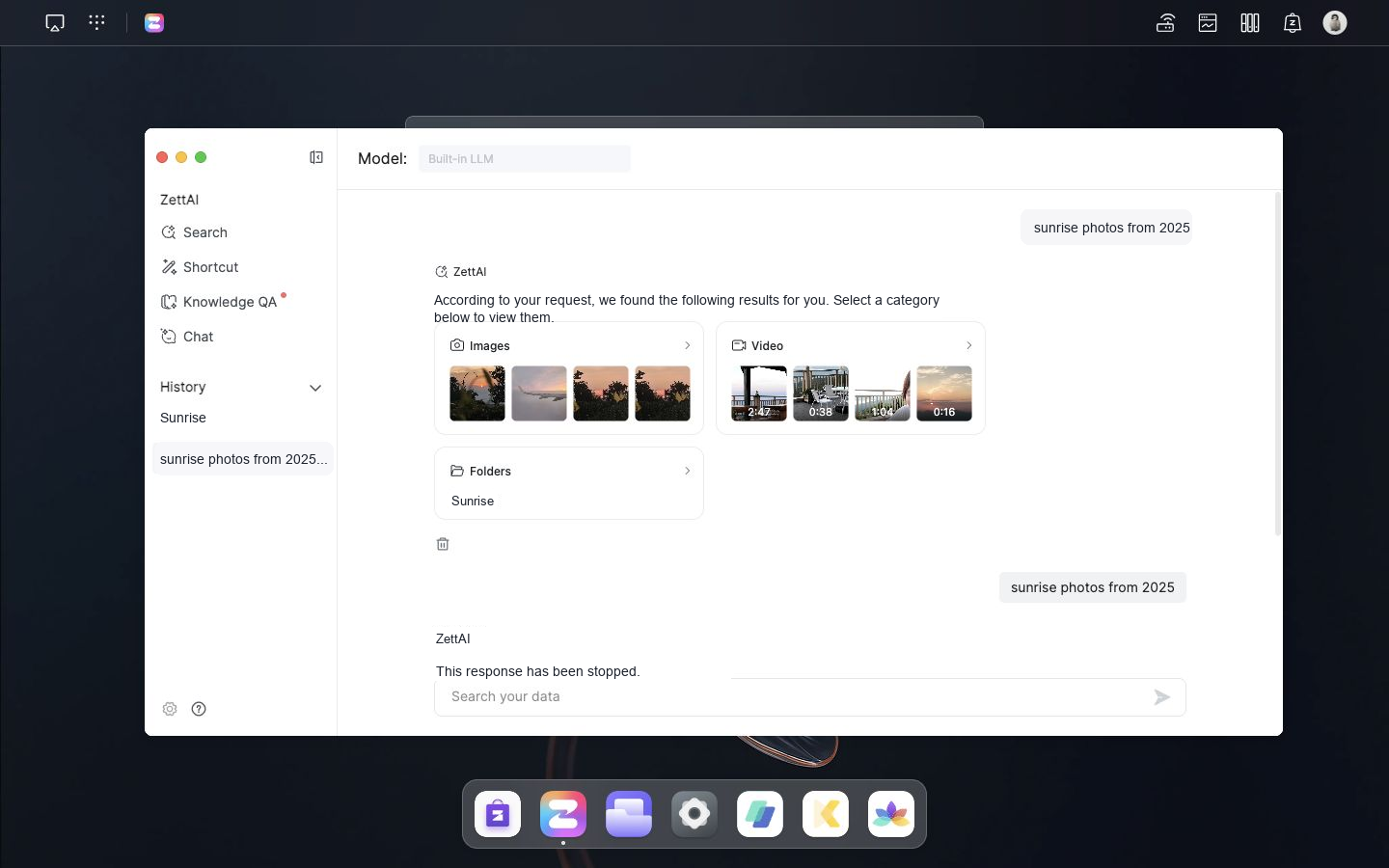
- Search pictures by visual content, videos by scenes or speech, audio by spoken content, and documents by their text. Filename and folder clues remain useful alongside semantic descriptions.
- Choose which content enters AI learning. Administrators can exclude folders that contain private, temporary or irrelevant material.
- Schedule a learning window to reduce competition with active uploads, downloads and everyday access.
- Inspect AI Learning Tasks and results to distinguish files that are still processing from files that failed or were excluded.
Before you start
- An administrator must enable ZettAI in Settings → AI Settings → AI Service. A prepared storage pool is required.
- Place a small set of supported, readable files on the NAS and include their folders in the learning scope.
- Use the account that should find the content. AI search does not bypass file permissions.
Your first workflow
-
Enable the service deliberately
Ask the administrator to turn on ZettAI, then confirm that learning tasks enter the queue. Review the scope before including a whole library; exclude folders that should not be analyzed.
-
Let a representative sample finish
Open AI Learning Tasks and check progress and results. Large collections take time, and learning can pause outside the scheduled window or while real-time tasks take priority. Inspect a failed file before retrying it.
-
Search using a concrete description
Open ZettAI and enter a short description close to the file’s actual content. Switch between result types when useful. Start with a clear object or phrase, then add context if the first search is too broad.
-
Verify the result in its original context
Preview the result, open its location or download it using the available actions. For important work, confirm the actual file and its contents rather than assuming that a semantic match is the final answer.
Check your first result
A sample file has a completed learning result, appears for a relevant description and opens using the intended account. Its original folder and permissions remain clear.
Keep these details in mind
- Semantic and spoken-content search depend on learning results, supported file types and current service availability. Uploading a file does not make it immediately searchable.
- Folder matching primarily uses names and paths. Scope coverage for remote locations, shared items or the Recycle Bin depends on the current implementation.
- Turning off ZettAI pauses learning and disables capabilities that rely on its service. Do not assume every completed result is retained identically across software versions.
Common questions
Why can’t I find a file I just uploaded?
Check whether learning has finished, whether the folder is excluded and whether the current account can access the file. Try the filename or original folder while processing continues.
What should I do with failed learning tasks?
Read the failure detail. An unsupported, corrupt, encrypted, incomplete or unparseable file may need a corrected source or conversion before it can be learned.
Can a standard user change the learning scope?
The service switch and learning scope are administrator settings. Ask the NAS administrator to adjust them for your intended folders.
More detail from Zettlab
ZettOS apps
Photos in ZettOS
Browse a photo timeline and collect your memories into albums.
Read the guide
