





What you can do
This project is archived. Preserve an existing installation and move file access to a maintained service.
Preserve and migrate an existing File Browser installation. The official repository says the project was archived on 1 September 2026 and will receive no further releases, bug fixes or security fixes.
This is a third-party project, with its own host, release, maintenance and license conditions. Its features are separate from ZettOS native software.
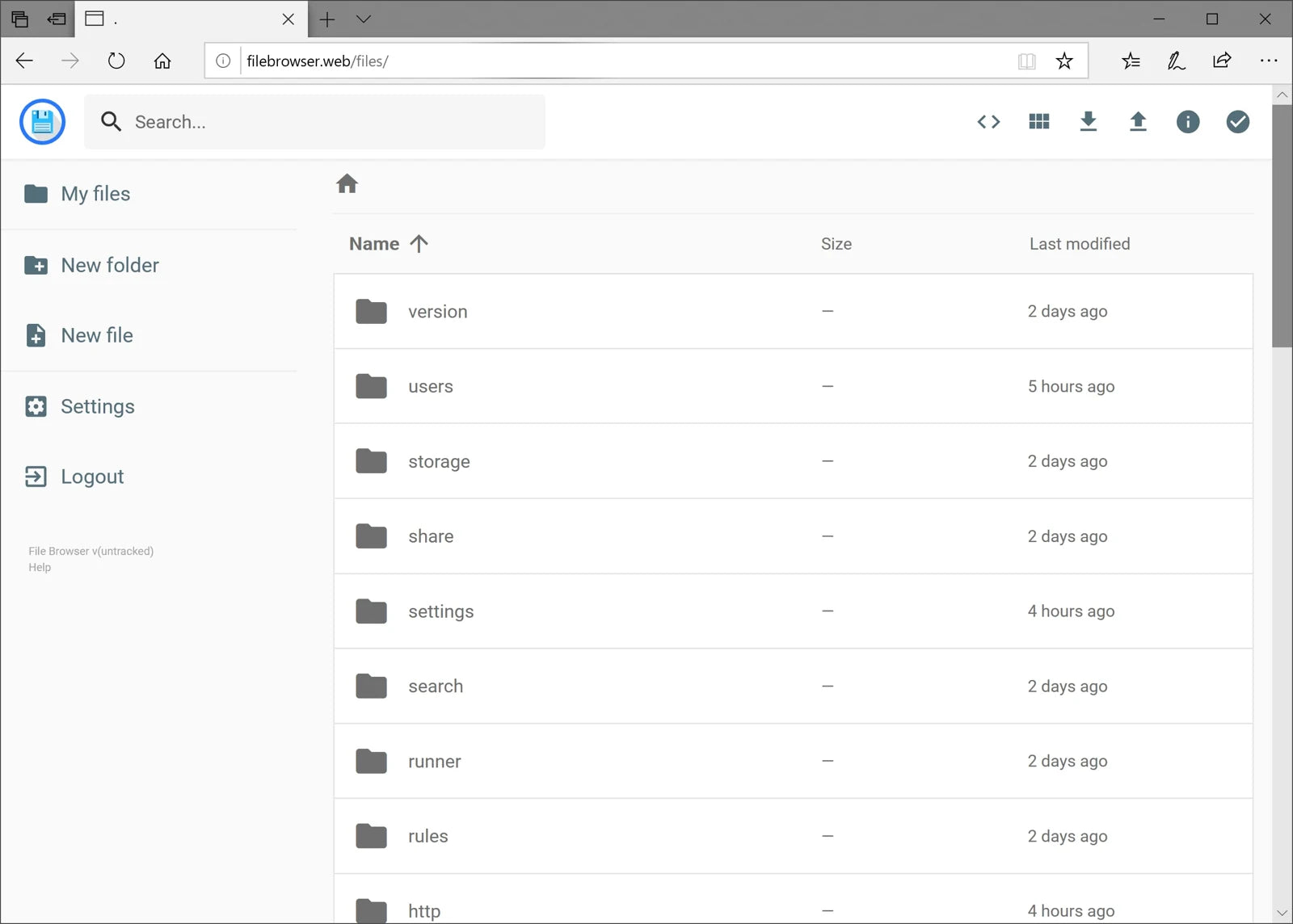
App Center availability and installation route
Checked on 18 November 2026: Zettlab D6 · RK3588 · 16GB RAM · ZettOS 1.14.0. The complete App Center list showed 49 entries. This observation applies to that device and catalog snapshot.
Not observed in the checked App Center. This guide does not provide a confirmed one-click NAS installation. Check the manual or external-host arrangement below against the exact image, release, CPU architecture, runtime, resources and data requirements. Absence from this catalog does not establish that the application is unsupported.
Installation, application operation, hardware acceleration and recovery on this NAS remain untested. Official archived-project and security notice.
Choose the host and data paths
- Guide arrangement
- Existing installation → maintained replacement
- NAS role
- Keep the underlying files and correct access permissions available while moving away from the archived service.
- Host requirements
- This is a lifecycle and migration guide, not a recommendation to create a new production deployment. The official README documents unaddressed command-runner and session/JWT weaknesses. ZettOS File Management has a separately documented upload/download and space-permission workflow for the underlying file task.
- Device validation
- Not observed in checked App Center; reference deployment untested. Installation, hardware acceleration and recovery on a Zettlab device have not been tested.

Existing service
Underlying file archive
Stopped-state copy + replacement access
This application was not observed in the checked D6 / ZettOS 1.14.0 App Center. The manual or external-host reference below requires its own compatibility checks; this observation does not establish that it is unsupported.
Before you start
- Identify the existing version, owner, server exposure, served root directory and all container/binary mappings.
- Keep a separate administrator route to the underlying files so access does not depend on File Browser.
- Plan a maintenance window and a recovery copy before changing permissions or removing the service.
Set up and use the reference arrangement
-
Limit the existing exposure
Remove direct public-internet exposure. The official README recommends a TLS/authenticating reverse proxy for retained use; keep the command runner disabled. Restrict mounts to the exact served folder and run unprivileged.
-
Record files, users and configuration
Inventory user scopes/permissions from the existing administrator UI. During the planned maintenance window, stop File Browser before using its CLI against the existing database. Export configuration with filebrowser config export <path.json-or-yaml>, using the actual -d database and -c config paths. An exported config is not a complete user/database backup; keep the stopped database separately.
-
Back up the stopped instance
Stop File Browser and save the served files, database and settings. In the documented Docker arrangement these map to /srv, /database and /config; use the existing deployment’s paths rather than assuming these names exist on every install.
-
Migrate the actual file task
For native NAS access, open ZettOS File Management, choose an authorized Team Space or Personal Space, and confirm the breadcrumb. Use Upload > Upload File/Folder for a sample and the right-click Download/Copy Path actions to verify access. Recreate the required space permissions; standard users should not browse Application Space merely to reach documents. Once the file task works, retire the obsolete File Browser endpoint and credentials according to the migration plan.
Check the first useful result
Keep the complete application state
- Original served files and directory/ownership mapping.
- The stopped File Browser database, which contains configuration and users, plus settings.json if used.
- A configuration export, inventory of user scopes and the exact old version, protected as sensitive recovery material.
Back up and bring it back
- Keep the existing server stopped while taking the database/file copy; verify the copy is readable.
- If emergency rollback is necessary, restore only in an isolated environment using the matching archived version and least required mounts.
- Prefer verifying the maintained replacement’s permissions and file access over reopening the archived service to the internet.
Check limits and ongoing work
- Official archived status: no further security fixes; do not present this as an actively maintained recommendation.
- The README says issued session/JWT tokens cannot be revoked normally; password changes/logout do not resolve every leaked-token scenario.
- Do not re-enable command execution or mount an entire NAS root merely to make a legacy UI work.
Review release notes before updating. Keep the matching configuration and a consistent pre-update recovery set; a database migration may require restoring data with the matching software rather than simply using an older image.
Confirm the project’s current license and the exact free or paid feature boundaries for your intended task. Self-hosting does not make external APIs, cloud destinations or separate compute free.
Choose your NAS configuration
Select storage for the files and the maintained replacement workflow. Buying more memory does not make an archived application a maintained service.
- D4 · 4 SATA bays
- Compare a four-drive layout against the current archive, expected growth and independent recovery copy. See the D4.
- D6 · 6 SATA bays
- Compare a six-drive layout when more drive-bay capacity or a different growth plan is useful. More bays do not establish a faster application or network. See the D6.
- 8GB / 16GB RAM
- These are separate SKU choices on each product page. Confirm the selected release’s requirements and combined operating load; no application-specific memory recommendation has been device-tested here.
- Complete system cost
- Enclosures are diskless. Allow for compatible drives, independent backup storage and any external application host, paid features or service/API charges required by the task. Current prices and delivery belong on the product page.
Official references
- Official archived-project and security noticeDocumentation read 2026-11-18
- Existing mounts and database contentsDocumentation read 2026-11-18
- Configuration export semanticsDocumentation read 2026-11-18
- ZettOS native file-management taskDocumentation read 2026-11-18
- GitHub repository archived statusDocumentation read 2026-11-18
- Official config export implementationDocumentation read 2026-11-18
For Home
NAS Backup and Restore: Prove You Can Recover
Read the guide
For Small Teams