





What you can do
Host a private Java Edition world and keep recoverable world saves.
Host a small private Java Edition world for matching clients, then prove that a stopped world copy can be brought back on a replacement server.
This is a third-party project, with its own host, release, maintenance and license conditions. Its features are separate from ZettOS native software.
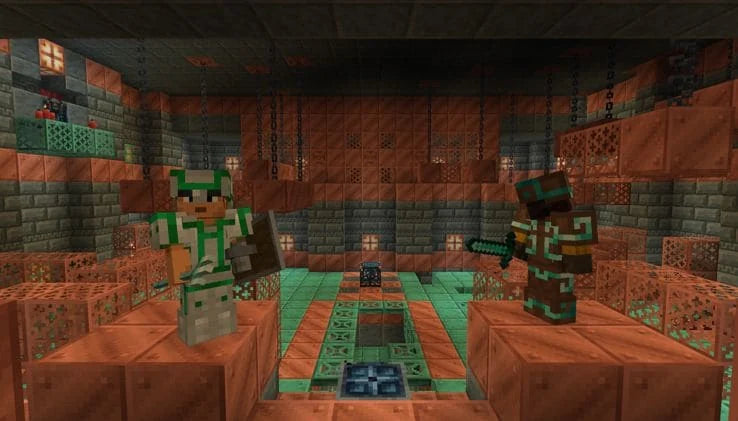
App Center availability and installation route
Checked on 18 November 2026: Zettlab D6 · RK3588 · 16GB RAM · ZettOS 1.14.0. The complete App Center list showed 49 entries. This observation applies to that device and catalog snapshot.
Not observed in the checked App Center. This guide does not provide a confirmed one-click NAS installation. Check the manual or external-host arrangement below against the exact image, release, CPU architecture, runtime, resources and data requirements. Absence from this catalog does not establish that the application is unsupported.
Installation, application operation, hardware acceleration and recovery on this NAS remain untested. Official Java Edition server and Java requirement.
Choose the host and data paths
- Guide arrangement
- External host with a supported Java runtime and enough CPU/RAM; conditional NAS hosting only after workload and architecture checks.
- NAS role
- Keep stopped, version-matched world-save recovery copies. The Java Edition server and its live workload run on the selected supported external host.
- Host requirements
- This guide chooses the official Java Edition server JAR and a native runtime, so it does not rely on an unverified third-party container publisher. Bedrock is a different server and client compatibility choice.
- Device validation
- Not observed in checked App Center; reference deployment untested. Installation, hardware acceleration and recovery on a Zettlab device have not been tested.

Supported external application host
NAS files / deliberate backup target
Application state + independent copy
This application was not observed in the checked D6 / ZettOS 1.14.0 App Center. The manual or external-host reference below requires its own compatibility checks; this observation does not establish that it is unsupported.
Before you start
- Choose Java Edition and one server/client version. Install that release’s required Java runtime on a supported machine.
- Create a dedicated server directory, choose a small private test player count and keep the world on reliable local storage.
- Review the Minecraft EULA, whitelist/access policy and LAN firewall; NAS backup storage is a separate destination.
Set up and use the reference arrangement
-
Download from the official server page
Save the official Java server JAR in the dedicated directory and use the launch command and Java requirement supplied for that release. Start without a GUI if appropriate.
-
Complete the server’s first-run setup
Read the generated files and accept the EULA only after reviewing it. Set the server properties for the intended private test and enable the whitelist/access controls you need.
-
Join from a matching client
Start the server and connect from a Java Edition client of the chosen version using its LAN address and configured port; Java’s usual default is 25565.
-
Make a recognizable test world
Build a small marker, move to a known location and record the world name/seed and coordinates. Use the server console to save and stop cleanly.
-
Back up only after shutdown completes
Copy the whole server directory, including the world, properties, whitelist/permissions and exact launch/version record, to an independent NAS destination. Restart the original only after the copy is complete.
Check the first useful result
Keep the complete application state
- Complete world directory and all selected dimension/player data.
- server.properties, whitelist/permission files and any server configuration.
- Exact server version/JAR record, Java runtime requirement, launch options and license/mod/plugin records if later added.
Back up and bring it back
- The recovery method here is a conservative stopped-server directory copy, not a claimed Minecraft automated backup feature.
- Restore the complete directory on a separate matching server/runtime, keep it isolated from production and start it on a nonconflicting test port.
- Join with the matching client and inspect the marker, player inventory and world location before considering the backup usable.
Check limits and ongoing work
- The official Java server works with Java Edition, not automatically with Bedrock clients.
- World upgrades, mods and plugins can prevent downgrades or change recovery requirements; keep matching versions.
- No player-count, tick-rate or NAS CPU-performance promise is supported by the download page.
Review release notes before updating. Keep the matching configuration and a consistent pre-update recovery set; a database migration may require restoring data with the matching software rather than simply using an older image.
Confirm the project’s current license and the exact free or paid feature boundaries for your intended task. Self-hosting does not make external APIs, cloud destinations or separate compute free.
Choose your NAS configuration
Choose D4 or D6 by storage capacity, growth and independent-copy needs. The external application host is a separate requirement; selecting 16GB NAS RAM does not supply that host.
- D4 · 4 SATA bays
- Compare a four-drive layout against the current archive, expected growth and independent recovery copy. See the D4.
- D6 · 6 SATA bays
- Compare a six-drive layout when more drive-bay capacity or a different growth plan is useful. More bays do not establish a faster application or network. See the D6.
- 8GB / 16GB RAM
- These are separate SKU choices on each product page. Confirm the selected release’s requirements and combined operating load; no application-specific memory recommendation has been device-tested here.
- Complete system cost
- Enclosures are diskless. Allow for compatible drives, independent backup storage and any external application host, paid features or service/API charges required by the task. Current prices and delivery belong on the product page.
Official references
- Official Java Edition server and Java requirementDocumentation read 2026-11-18
- Official Minecraft EULADocumentation read 2026-11-18
- Official separate Bedrock server choiceDocumentation read 2026-11-18
For Home
Plan Useful Home Server Workflows
Read the guide
For Home