





What you can do
Evaluate file access, sharing and collaboration for a household or small team.
Provide separate household/team accounts, file uploads and controlled sharing, with the database and application data recovered as one service.
This is a third-party project, with its own host, release, maintenance and license conditions. Its features are separate from ZettOS native software.
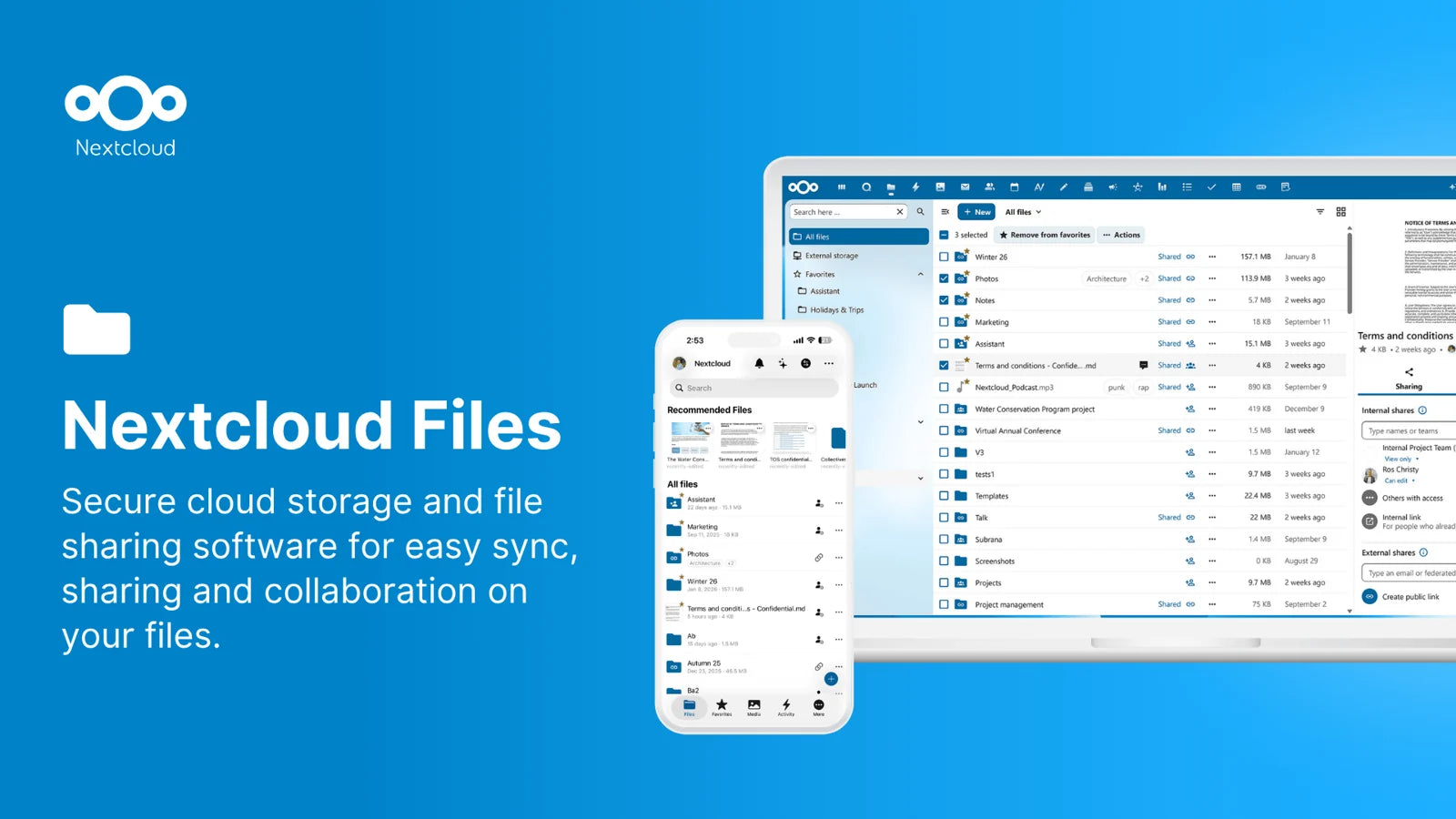
App Center availability and installation route
Checked on 18 November 2026: Zettlab D6 · RK3588 · 16GB RAM · ZettOS 1.14.0. The complete App Center list showed 49 entries. This observation applies to that device and catalog snapshot.
Available in the checked App Center. The displayed tag and port describe the store package. They do not establish a running version or a tested connection.
- App Center
- Listed
- Observed package state
- Enable action shown; package not enabled
- Displayed version / tag
- 30.0.0
- Displayed service port
- 10081
Use the App Center package
- Open App Center and select the exact application. Review that package’s release, resource requirements, service port and data location before installation or enablement.
- Use the package action only after checking storage, permissions and the application’s instructions. Open it through the actual service address shown by your device; do not substitute an upstream default port.
- Complete the first useful task and a separate recovery trial before relying on the service. These actions were not performed during the read-only catalog check.
The reference host, diagram and setup steps that follow describe a separate upstream route. Do not paste its Compose configuration, paths or environment variables into an App Center package. Some displayed packages are older than current upstream instructions; match the package release before applying version-specific steps.
Installation, application operation, hardware acceleration and recovery on this NAS remain untested.
Choose the host and data paths
- Guide arrangement
- ZettOS Docker Projects (conditional)
- NAS role
- May host a compatible container and its supported local data paths after checking the exact image, runtime and resource requirements; use the stated external-host alternative when needed.
- Host requirements
- The official Nextcloud Apache image tag lists ARM64. A complete deployment also needs a compatible database and background-job setup. Use an external Linux host if the NAS cannot provide the selected release’s runtime, memory or persistent database storage.
- Device validation
- App Center listing checked; installation untested. Installation, hardware acceleration and recovery on a Zettlab device have not been tested.

Conditionally supported application host
Application-specific persistent data
Consistent state + independent backup
App Center lists this application on the checked D6 / ZettOS 1.14.0. Use App Center for that package; the reference arrangement below follows upstream documentation and is a separate route. Installation, operation and recovery were not tested.
For a separate supported project, ZettOS documents Docker → Projects → + Create and YAML paste/import. Manage App Center installations in App Center. Match the exact image, data paths, permissions and ports before deployment.
Before you start
- Create test user files rather than point a fresh install at an existing unmanaged photo archive.
- Prepare persistent Nextcloud and database storage, strong secrets and an unused LAN port.
- Download an official Compose example matched to the intended release; decide the real URL before external access.
Set up and use the reference arrangement
-
Persist app and database
Use the official Apache image’s /var/www/html persistent data and the selected database’s documented persistent mount. Preserve database credentials and keep database files on suitable local storage rather than treating a network-share folder as automatically valid.
-
Deploy the full project
ZettOS documents Docker > Projects > + Create: enter a project name and save path, paste Compose YAML or use Import, then Deploy. Open the project to inspect Containers and Logs. Projects originally installed through App Center must be managed there. Configure the application-to-database connection, required trusted host/URL settings and documented cron/background-job service. Inspect the setup page and administration warnings.
-
Exercise two accounts
Create two non-administrator test accounts. Upload a folder as one user, share a single item with the other and test the chosen read/write restrictions. Revoke the share and verify the second account loses that access.
-
Add clients after the web test
Connect a desktop/mobile client to a small test folder and inspect conflict/deletion behavior before selecting real working folders. Treat external storage integrations as separate configuration.
Check the first useful result
Keep the complete application state
- The Nextcloud config, data, custom apps and theme directories used by the deployment.
- A consistent database dump plus protected instance secrets/credentials.
- Image versions, Compose definition, cron configuration and any separately configured external-storage originals.
Back up and bring it back
- Enter maintenance mode with the documented occ method and coordinate directory backups with a database dump.
- Restore configuration, data and the database together to a compatible isolated instance with correct ownership; all three are required.
- Verify login, file downloads and a known share before reconnecting real sync clients. Follow the release’s maintenance-mode exit procedure. maintenance:data-fingerprint is recommended for the documented outdated-backup/data-loss case; it is not a compulsory step for every restore.
Check limits and ongoing work
- Nextcloud data files should be managed through its supported interfaces; copying arbitrary files into its data tree is not equivalent to an upload.
- Desktop synchronization can propagate changes and deletions; keep independent backups.
- Collaboration add-ons, office services and external storage have separate runtime and configuration requirements.
Review release notes before updating. Keep the matching configuration and a consistent pre-update recovery set; a database migration may require restoring data with the matching software rather than simply using an older image.
Confirm the project’s current license and the exact free or paid feature boundaries for your intended task. Self-hosting does not make external APIs, cloud destinations or separate compute free.
Choose your NAS configuration
Choose drive bays for the archive and growth. Choose memory only after allowing for ZettOS, this application, databases and concurrently running services; 8GB/16GB are configuration choices, not tested application recommendations.
- D4 · 4 SATA bays
- Compare a four-drive layout against the current archive, expected growth and independent recovery copy. See the D4.
- D6 · 6 SATA bays
- Compare a six-drive layout when more drive-bay capacity or a different growth plan is useful. More bays do not establish a faster application or network. See the D6.
- 8GB / 16GB RAM
- These are separate SKU choices on each product page. Confirm the selected release’s requirements and combined operating load; no application-specific memory recommendation has been device-tested here.
- Complete system cost
- Enclosures are diskless. Allow for compatible drives, independent backup storage and any external application host, paid features or service/API charges required by the task. Current prices and delivery belong on the product page.
Official references
- Official image persistence and database setupDocumentation read 2026-11-18
- Maintenance-mode backup componentsDocumentation read 2026-11-18
- Required full-service restore componentsDocumentation read 2026-11-18
- Official Nextcloud image platformsDocumentation read 2026-11-18
- ZettOS App Center installation
- ZettOS Docker Projects

For Small Teams
NAS for Small Teams: Shared Files and Client Handoffs
Read the guide
Basics