





What you can do
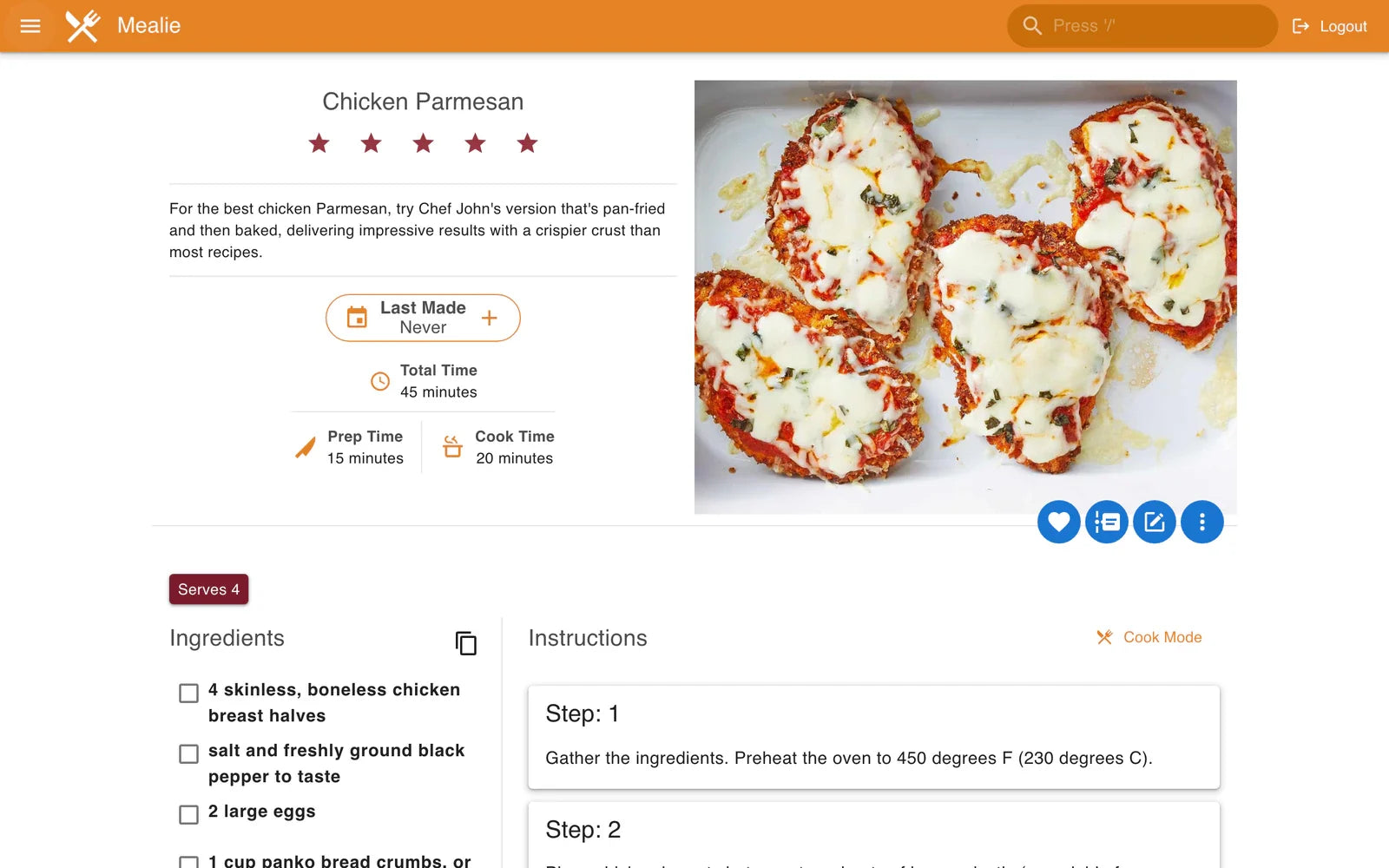
Keep household recipes and meal plans in a shared collection.
Keep a household recipe collection, turn a few recipes into a meal plan and shopping list, and preserve images and accounts with the collection.
This is a third-party project, with its own host, release, maintenance and license conditions. Its features are separate from ZettOS native software.
App Center availability and installation route
Checked on 18 November 2026: Zettlab D6 · RK3588 · 16GB RAM · ZettOS 1.14.0. The complete App Center list showed 49 entries. This observation applies to that device and catalog snapshot.
Not observed in the checked App Center. This guide does not provide a confirmed one-click NAS installation. Check the manual or external-host arrangement below against the exact image, release, CPU architecture, runtime, resources and data requirements. Absence from this catalog does not establish that the application is unsupported.
Installation, application operation, hardware acceleration and recovery on this NAS remain untested. Official PostgreSQL installation.
Choose the host and data paths
- Guide arrangement
- PostgreSQL-based Docker project for a NAS deployment, subject to host/image/storage checks; SQLite only as a separate documented local-host reference test.
- NAS role
- May host a compatible container and its supported local data paths after checking the exact image, runtime and resource requirements; use the stated external-host alternative when needed.
- Host requirements
- The official SQLite page explicitly tells NAS users to use PostgreSQL. It does not certify SQLite on this NAS merely because a mount is called a local volume. PostgreSQL also needs its own supported persistent database storage; switching engines does not make an arbitrary NFS/SMB database directory safe.
- Device validation
- Not observed in checked App Center; reference deployment untested. Installation, hardware acceleration and recovery on a Zettlab device have not been tested.

Conditionally supported application host
Application-specific persistent data
Consistent state + independent backup
This application was not observed in the checked D6 / ZettOS 1.14.0 App Center. The manual or external-host reference below requires its own compatibility checks; this observation does not establish that it is unsupported.
For a separate supported project, ZettOS documents Docker → Projects → + Create and YAML paste/import. Manage App Center installations in App Center. Match the exact image, data paths, permissions and ports before deployment.
Before you start
- Choose a small household test and three permitted recipe URLs or manually entered family recipes.
- Use the official Compose for a selected release, configure BASE_URL, time zone, persistent /app/data and a sensible memory limit.
- For this NAS plan choose the official PostgreSQL setup, keep its live database on supported reliable storage, and back it up independently. The separate SQLite example is a local-host reference only; its suitability for this ZettOS filesystem has not been established.
Set up and use the reference arrangement
-
Start the matching database route
For the NAS route start with the official PostgreSQL example and preserve both /app/data and the PostgreSQL database/volume. Select a specific Mealie release, change example database passwords, check ownership and keep major PostgreSQL upgrades separate from an ordinary image update. Use SQLite only in a separately justified local-host reference test.
-
Create household access
Complete the version’s initial account setup, set a nondefault password and configure household users/signup policy as intended.
-
Import and correct a recipe
Import one recipe by URL, then check ingredients, units, steps and image against the source. Enter a second recipe manually so family instructions are not dependent on a scraper.
-
Plan an actual meal
Tag the recipes, add them to a short meal plan and generate a shopping list. Adjust servings and inspect ingredient quantities before relying on it.
-
Download a recovery copy
Open the documented Admin Backups page, create a backup and download it. Also preserve the complete local /app/data for the stopped SQLite route, and include PostgreSQL storage/backups when using that route.
Check the first useful result
Keep the complete application state
- /app/data, including the local SQLite database and files for that route.
- A consistent PostgreSQL backup when PostgreSQL is selected, coordinated with app images/files.
- Downloaded Mealie backup, Compose/environment, exact version and account recovery material.
Back up and bring it back
- For SQLite, the official guide recommends stopping the container and backing up all /app/data; keep an independent copy.
- Restore into a separate matching instance. Built-in backup import replaces database data, so use an empty test instance and the correct version.
- For the documented built-in PostgreSQL restore, the Mealie database user temporarily needs superuser privileges: grant only for the isolated restore, run it, then revoke SUPERUSER immediately. Coordinate the database with /app/data and inspect images, accounts, recipes and the meal plan. This is distinct from restoring a native PostgreSQL dump.
Check limits and ongoing work
- URL import depends on the source page and must be checked for missing or wrongly parsed ingredients.
- Built-in restore is destructive and version compatibility matters.
- The official PostgreSQL restore notes require specific temporary database privileges; do not assume the SQLite workflow applies unchanged.
Review release notes before updating. Keep the matching configuration and a consistent pre-update recovery set; a database migration may require restoring data with the matching software rather than simply using an older image.
Confirm the project’s current license and the exact free or paid feature boundaries for your intended task. Self-hosting does not make external APIs, cloud destinations or separate compute free.
Choose your NAS configuration
Choose drive bays for the archive and growth. Choose memory only after allowing for ZettOS, this application, databases and concurrently running services; 8GB/16GB are configuration choices, not tested application recommendations.
- D4 · 4 SATA bays
- Compare a four-drive layout against the current archive, expected growth and independent recovery copy. See the D4.
- D6 · 6 SATA bays
- Compare a six-drive layout when more drive-bay capacity or a different growth plan is useful. More bays do not establish a faster application or network. See the D6.
- 8GB / 16GB RAM
- These are separate SKU choices on each product page. Confirm the selected release’s requirements and combined operating load; no application-specific memory recommendation has been device-tested here.
- Complete system cost
- Enclosures are diskless. Allow for compatible drives, independent backup storage and any external application host, paid features or service/API charges required by the task. Current prices and delivery belong on the product page.
Official references
- Official PostgreSQL installationDocumentation read 2026-11-18
- Official backup and restore behaviorDocumentation read 2026-11-18
- Official recipe import, planning and shopping-list useDocumentation read 2026-11-18
- ZettOS Docker Projects
Development, alternative and historical reference context
These references describe another branch, database choice or older route. Use the selected release and deployment references above for this guide. Do not combine configurations from these alternatives with that arrangement.
- Separate SQLite alternative: storage restrictions and ComposeDocumentation read 2026-11-18
For Home
Keep a Personal Library You Can Find and Recover
Read the guide
Basics