





What you can do
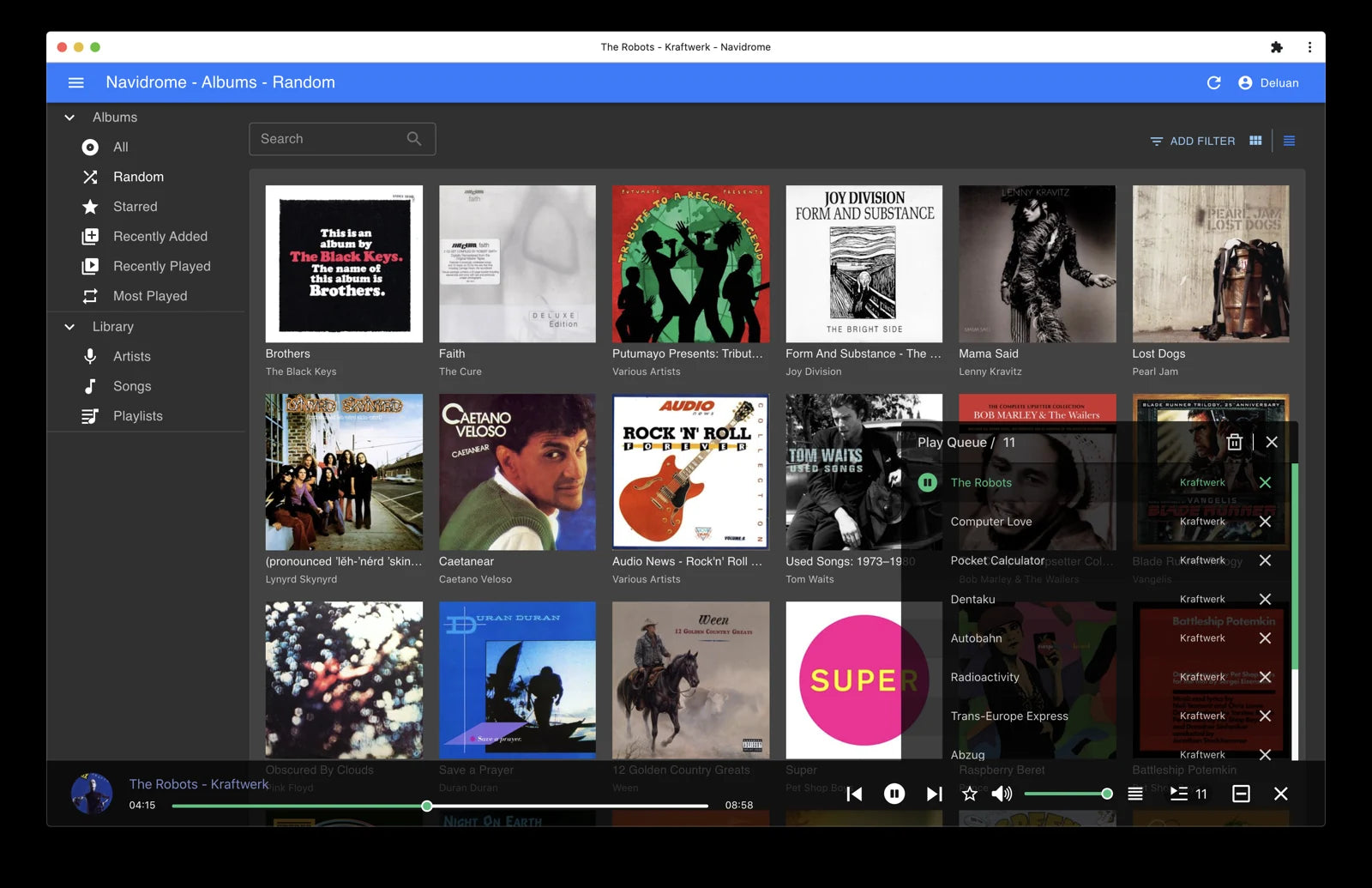
Browse and play a personal music collection from several devices.
Turn a tagged music folder into a browsable personal music library, with accounts, favorites, playlists and play counts kept separately from the audio files.
This is a third-party project, with its own host, release, maintenance and license conditions. Its features are separate from ZettOS native software.
App Center availability and installation route
Checked on 18 November 2026: Zettlab D6 · RK3588 · 16GB RAM · ZettOS 1.14.0. The complete App Center list showed 49 entries. This observation applies to that device and catalog snapshot.
Not observed in the checked App Center. This guide does not provide a confirmed one-click NAS installation. Check the manual or external-host arrangement below against the exact image, release, CPU architecture, runtime, resources and data requirements. Absence from this catalog does not establish that the application is unsupported.
Installation, application operation, hardware acceleration and recovery on this NAS remain untested. Official ARM64 image and permission model.
Choose the host and data paths
- Guide arrangement
- ZettOS Docker Projects (conditional)
- NAS role
- May host a compatible container and its supported local data paths after checking the exact image, runtime and resource requirements; use the stated external-host alternative when needed.
- Host requirements
- Navidrome’s official Docker guide explicitly lists linux/arm64. Its official image uses the Compose user field for UID:GID; it explicitly ignores LinuxServer-style PUID/PGID variables.
- Device validation
- Not observed in checked App Center; reference deployment untested. Installation, hardware acceleration and recovery on a Zettlab device have not been tested.

Conditionally supported application host
Application-specific persistent data
Consistent state + independent backup
This application was not observed in the checked D6 / ZettOS 1.14.0 App Center. The manual or external-host reference below requires its own compatibility checks; this observation does not establish that it is unsupported.
For a separate supported project, ZettOS documents Docker → Projects → + Create and YAML paste/import. Manage App Center installations in App Center. Match the exact image, data paths, permissions and ports before deployment.
Before you start
- Prepare a small album folder with known tags and a persistent data directory.
- Identify a container user that can read music and write the data directory; leave the music read-only for the first test.
- Choose a host port for container 4533 and an official release tag.
Set up and use the reference arrangement
-
Set the two mounts
Adapt the official example: host data → /data, music → /music:ro. Set user: to the UID:GID whose permissions you have actually verified; changing PUID/PGID alone will not fix this image.
-
Create and inspect the project
ZettOS documents Docker > Projects > + Create: enter a project name and save path, paste Compose YAML or use Import, then Deploy. Open the project to inspect Containers and Logs. Projects originally installed through App Center must be managed there. Publish the chosen port to 4533. Inspect logs for database-write or music-scan permission failures before assuming an empty library is a metadata issue.
-
Create the first user and scan
Open the LAN URL, create the administrator, wait for the scan and inspect artist, album and track tags. Play an original track in the web client before configuring optional remote clients.
-
Make listening state recoverable
Create a playlist, favorite a track and enable the documented database backup schedule/path. Keep the exported backup outside the active /data location as well. For example, ND_BACKUP_PATH=/backup requires a writable persistent /backup mount; also set ND_BACKUP_SCHEDULE and ND_BACKUP_COUNT deliberately.
Check the first useful result
Keep the complete application state
- The music originals; the built-in backup does not contain them.
- The /data database and the configured backup outputs containing users and listening state.
- navidrome.toml or equivalent environment settings, user mapping and Compose file.
Back up and bring it back
- Create a documented database backup, then save music and configuration separately; the official automated backup is database-only.
- Stop the service, restore the compatible database/data and original music paths using the official restore instructions.
- Sign in with a test user and verify playlists, favorites and one track after the isolated restore.
Check limits and ongoing work
- Read access to music and write access to /data are different checks.
- Transcoding and third-party music clients may need resources or feature configuration beyond a successful scan.
- A database export is not a backup of your music or configuration.
Review release notes before updating. Keep the matching configuration and a consistent pre-update recovery set; a database migration may require restoring data with the matching software rather than simply using an older image.
Confirm the project’s current license and the exact free or paid feature boundaries for your intended task. Self-hosting does not make external APIs, cloud destinations or separate compute free.
Choose your NAS configuration
Choose drive bays for the archive and growth. Choose memory only after allowing for ZettOS, this application, databases and concurrently running services; 8GB/16GB are configuration choices, not tested application recommendations.
- D4 · 4 SATA bays
- Compare a four-drive layout against the current archive, expected growth and independent recovery copy. See the D4.
- D6 · 6 SATA bays
- Compare a six-drive layout when more drive-bay capacity or a different growth plan is useful. More bays do not establish a faster application or network. See the D6.
- 8GB / 16GB RAM
- These are separate SKU choices on each product page. Confirm the selected release’s requirements and combined operating load; no application-specific memory recommendation has been device-tested here.
- Complete system cost
- Enclosures are diskless. Allow for compatible drives, independent backup storage and any external application host, paid features or service/API charges required by the task. Current prices and delivery belong on the product page.
Official references
- Official ARM64 image and permission modelDocumentation read 2026-11-18
- Database-only automated backup and restoreDocumentation read 2026-11-18
- ZettOS Compose projectsDocumentation read 2026-11-18
For Home
Build a NAS Media Library You Can Keep Using
Read the guide
Basics